Volinga Suite generates animated 4D Gaussian Splats (4DGS) from a sequence of Gaussian PLY files.
Each PLY represents a single frame of the animation. During the creation process, Volinga Suite combines the complete sequence into a single animated NVOL asset while preserving the original frame order.
The resulting 4DGS NVOL can be previewed inside Volinga Suite and used directly in Volinga Unreal Engine Plugin.
4D Gaussian Splatting (4DGS) is available starting with Volinga Suite v0.4.0.
¶ Before You Begin
A 4D Gaussian Splat is created from a sequence of static Gaussian Splat PLY files, where each file represents one animation frame.
You can import the animation by either:
- Selecting the folder containing the complete PLY sequence.
- Selecting multiple PLY files simultaneously.
In both cases, the files must be imported in the correct numerical order.
¶ Supported Naming Conventions
The Media Importer determines the playback order from the filenames.
Examples of supported naming conventions:
Example 1
- walk_0001.ply
- walk_0002.ply
- walk_0003.ply
- ...
Example 2
- 1.ply
- 2.ply
- 3.ply
- ...
The generated animation follows the numerical order of the imported filenames.
Ensure that your PLY sequence is named correctly before importing it into Volinga Suite. Incorrect numbering may produce an invalid animation sequence.
¶ Creating a New 4DGS Asset
The 4DGS creation workflow consists of five simple steps.
¶ Creating a New 4DGS Asset
The 4DGS creation workflow consists of five simple steps.
Tip
This guide focuses specifically on creating 4D Gaussian Splats. For a complete overview of the New Asset Wizard, supported input formats, and the Media Import workflow, see the Media Importer documentation.
¶ Step 1 — Import the PLY Sequence
Open the New Asset Wizard.
Add the animation sequence using one of the following methods:
- Drag & drop the folder containing the PLY sequence.
- Drag & drop multiple Gaussian PLY files.
- Click Add → Folder.
- Click Add → Files.
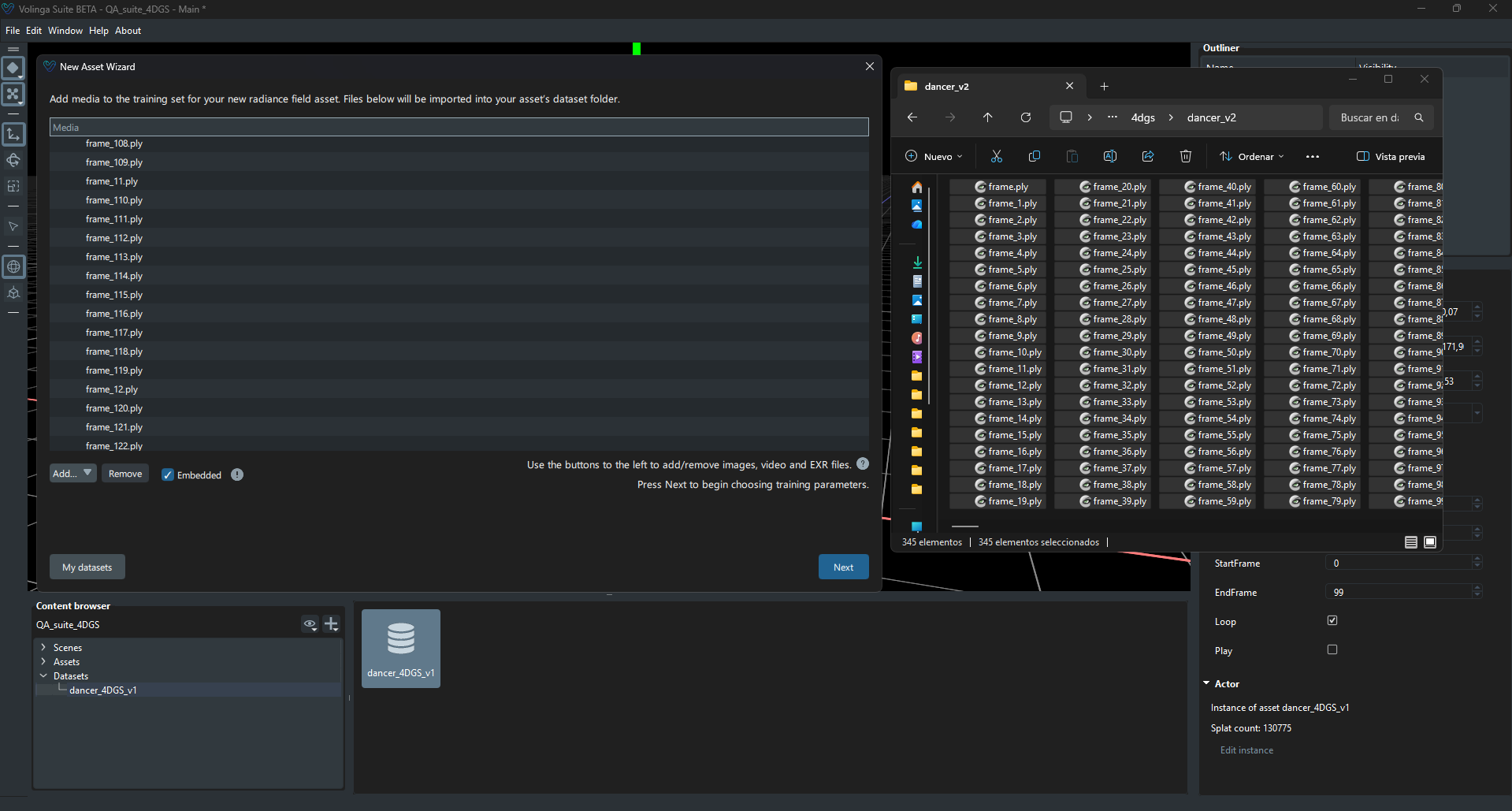
Once the sequence has been imported successfully, click Next.
¶ Step 2 — Name the Asset
Enter a name for the new 4DGS asset.
This name will be used for the generated NVOL asset and will appear throughout the project.
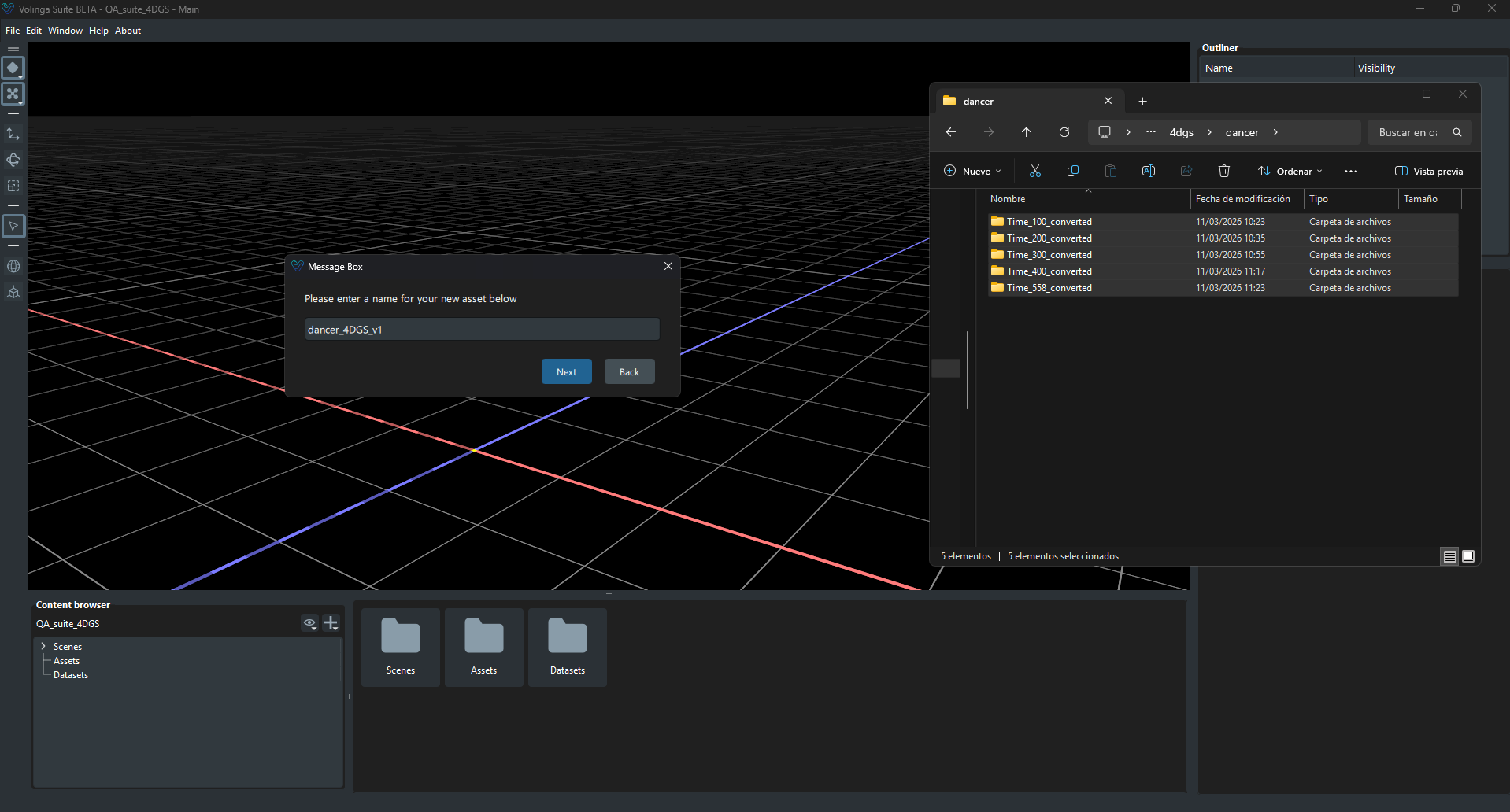
Click Next to continue.
¶ Step 3 — Configure Animation Settings
Configure the parameters used to generate the animated NVOL.
Currently, the following parameters are available:
¶ Frame Rate
Defines the playback speed of the generated animation.
Choose the frame rate that best matches the original capture sequence.
¶ Preserve Spherical Harmonics
Preserves the spherical harmonics information stored in the original Gaussian Splats during the conversion process.
Enable this option when you want to retain the original lighting information contained in the source PLY sequence.
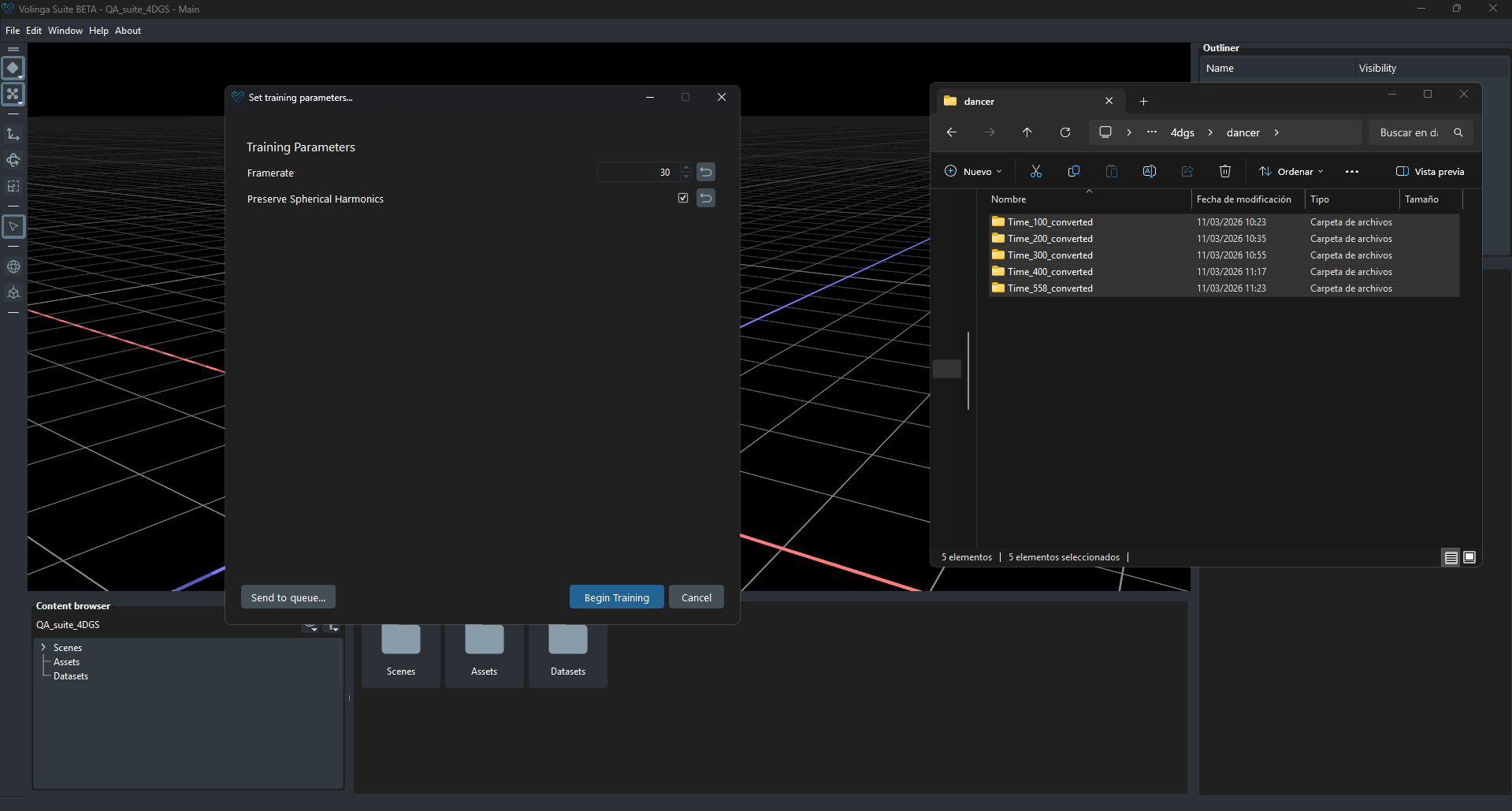
Once configured, click Process.
¶ Step 4 — Processing
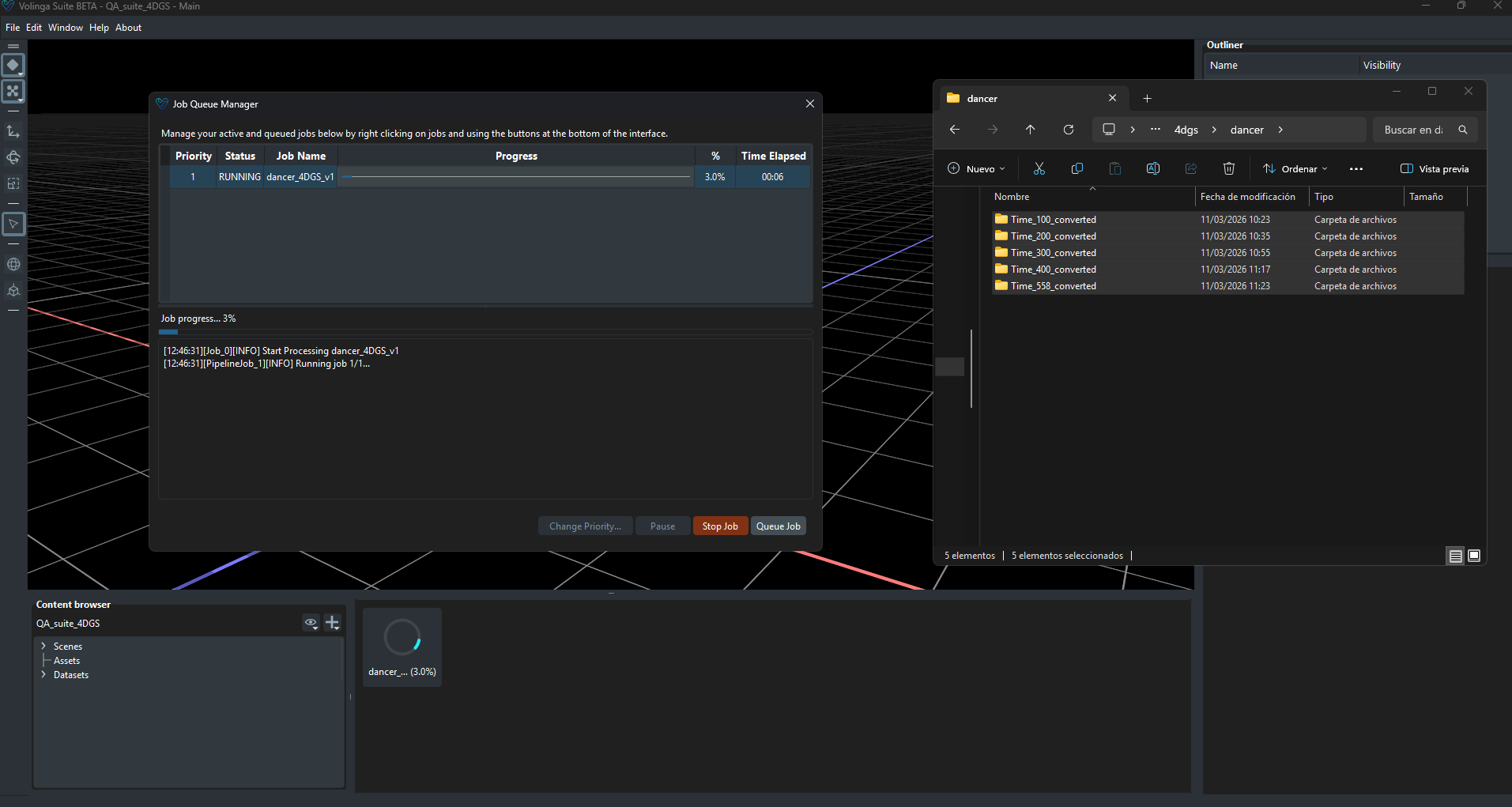
Volinga Suite validates the imported sequence and generates the animated 4DGS NVOL asset.
During this process the application:
- Validates the PLY sequence.
- Determines the frame order.
- Processes every animation frame.
- Packages the complete animation into a native NVOL asset.
Processing time depends on both the number of frames and the size of the Gaussian Splats.
¶ Step 5 — Completed
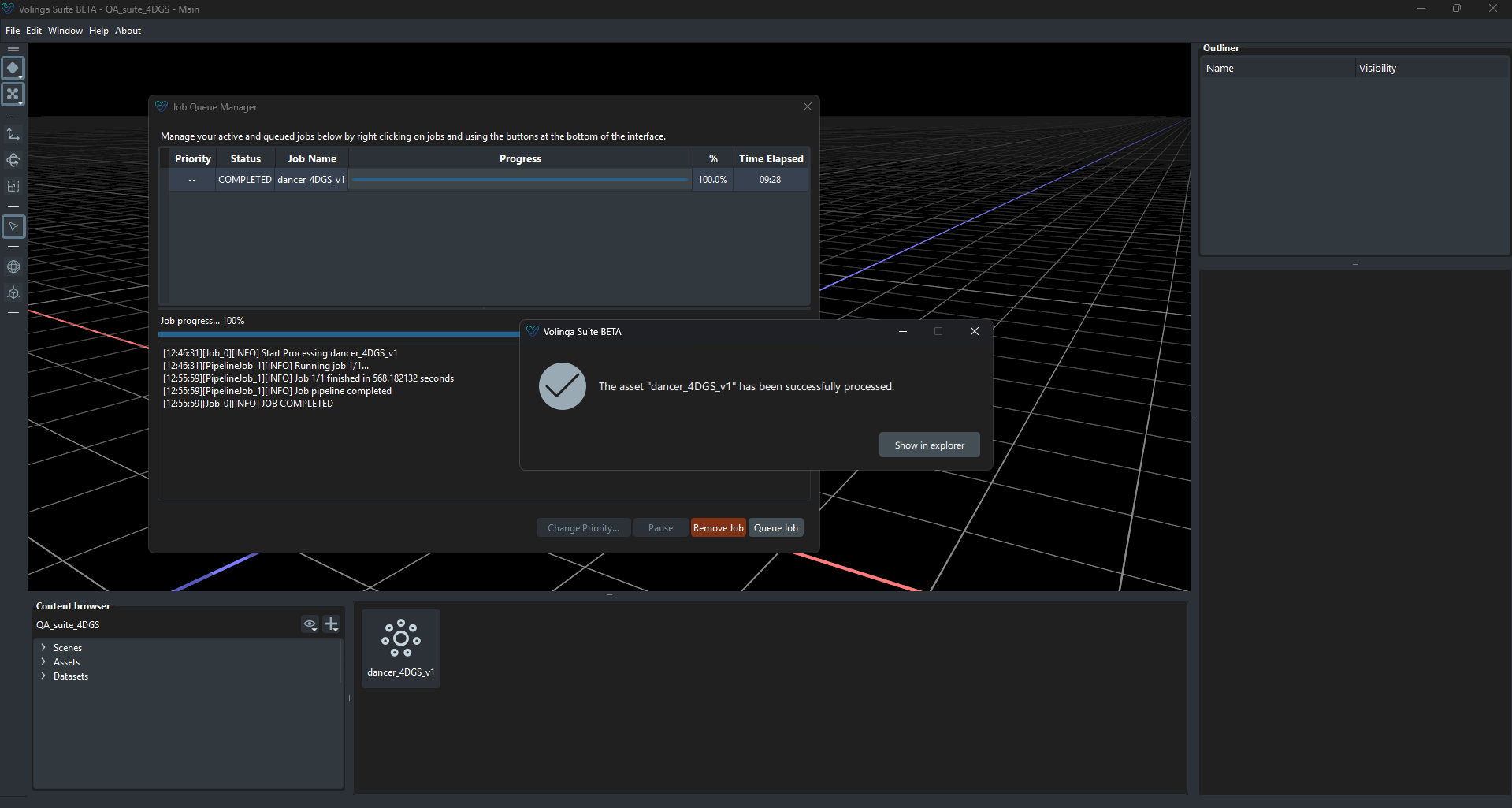
Once processing finishes successfully, the wizard displays a confirmation message.
Click Finish to complete the workflow.
¶ Result
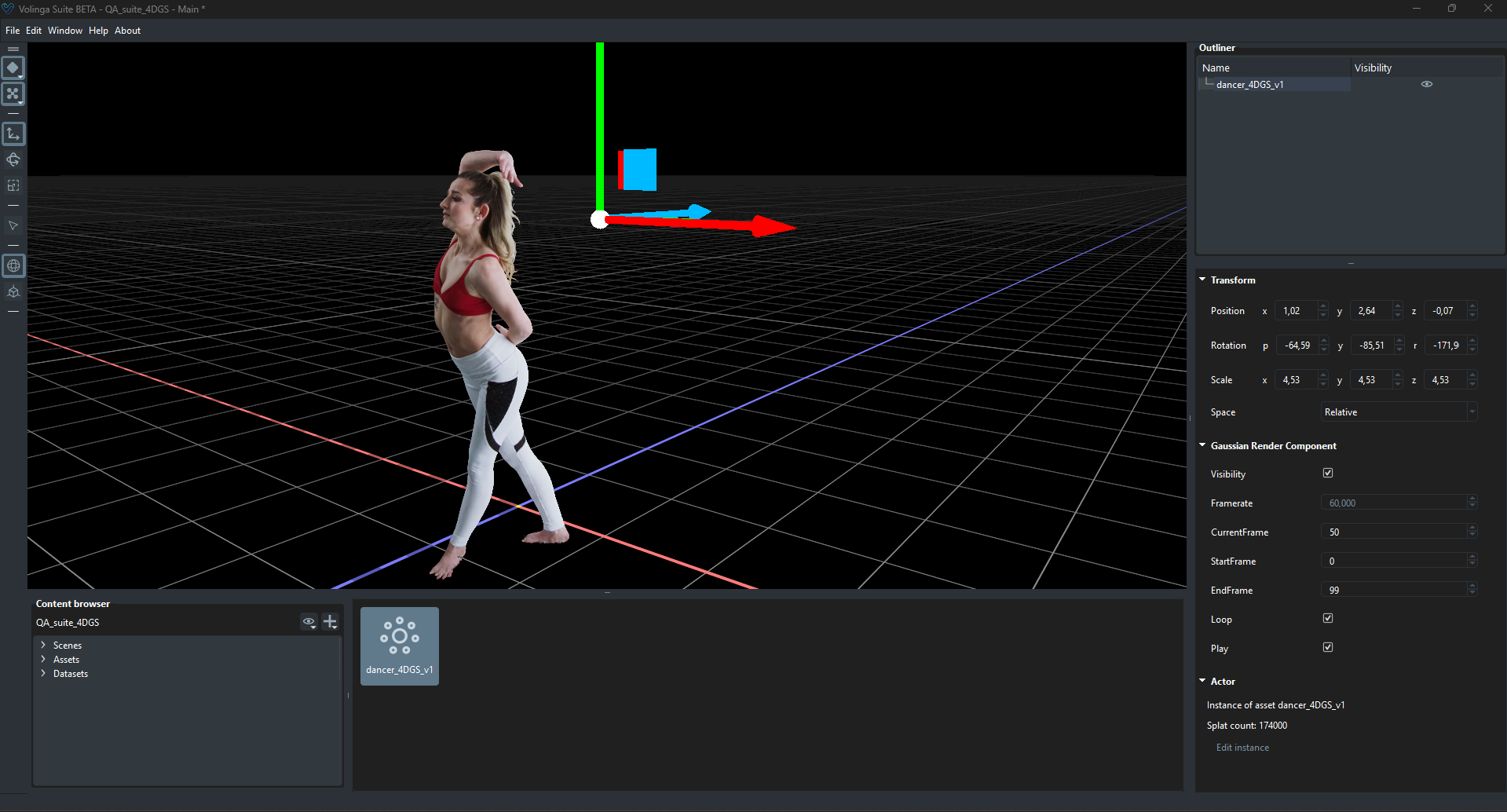
The generated 4DGS NVOL asset is automatically added to the Content Browser and is immediately ready to use.
The asset can now be:
- Added to scenes.
- Previewed in Volinga Suite.
- Exported as an NVOL.
- Used directly in the Volinga Unreal Engine Plugin.
Tip
If the generated animation plays in an unexpected order, verify that the source PLY files are numbered correctly. The Media Importer always builds the animation according to the numerical order of the imported filenames.