¶ Importing COLMAP Registration
To import an existing COLMAP model into Volinga Suite, a new asset must be created first.
¶ 1. Create a new asset
A new asset can be created in two different ways:
¶ Option 1 — Content Browser
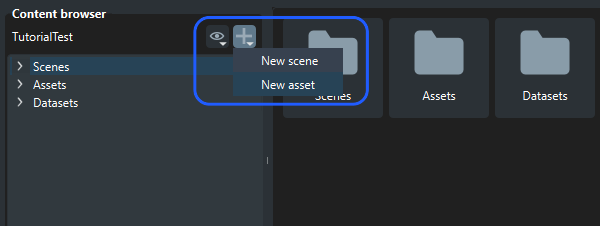
In the Content Browser, click the Add (+) icon → New Asset.
¶ Option 2 — Toolbar Shortcut
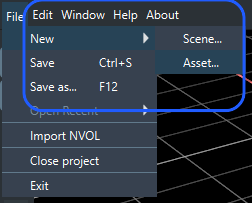
In the top toolbar, select File → New Asset.
Both methods open the New Asset Wizard, where the COLMAP files are imported during new asset creation.
¶ 2. Add COLMAP dataset files
COLMAP data is imported inside the New Asset Wizard.
¶ Required files:
These files provide the required camera registration and sparse reconstruction data for Volinga Suite to import and interpret a COLMAP model and to properly initialize your 3D scene:
- Sparse:
- Images File (*.bin or *.txt): The images.bin or images.txt file generated during COLMAP camera alignment that contains camera extrinsic pose information.
- Cameras File (*.bin or *.txt): The cameras.bin or cameras.txt file from COLMAP camera alignment that defines intrinsic camera parameters.
- Points3D File (*.bin or *.txt): The points3d.bin or points3d.txt file containing the sparse point cloud generated during COLMAP camera alignment.
- Source images.
By importing COLMAP models, you can also leverage camera alignments coming from other tools supporting COLMAP exports like Reality Capture or Metashape.
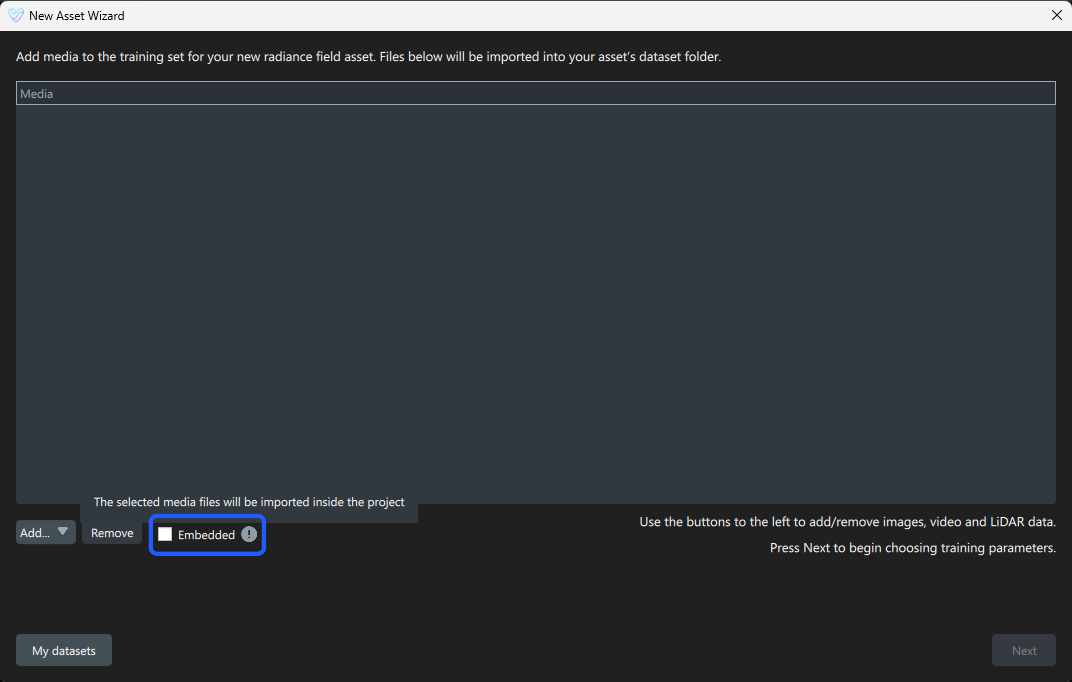
If the Embedded option is enabled in the New Asset Wizard, the selected media files will be imported directly into the current project.
- When enabled: The selected media files are copied and stored inside the project directory.
- When disabled: The project references the original file locations without copying the media into the project.
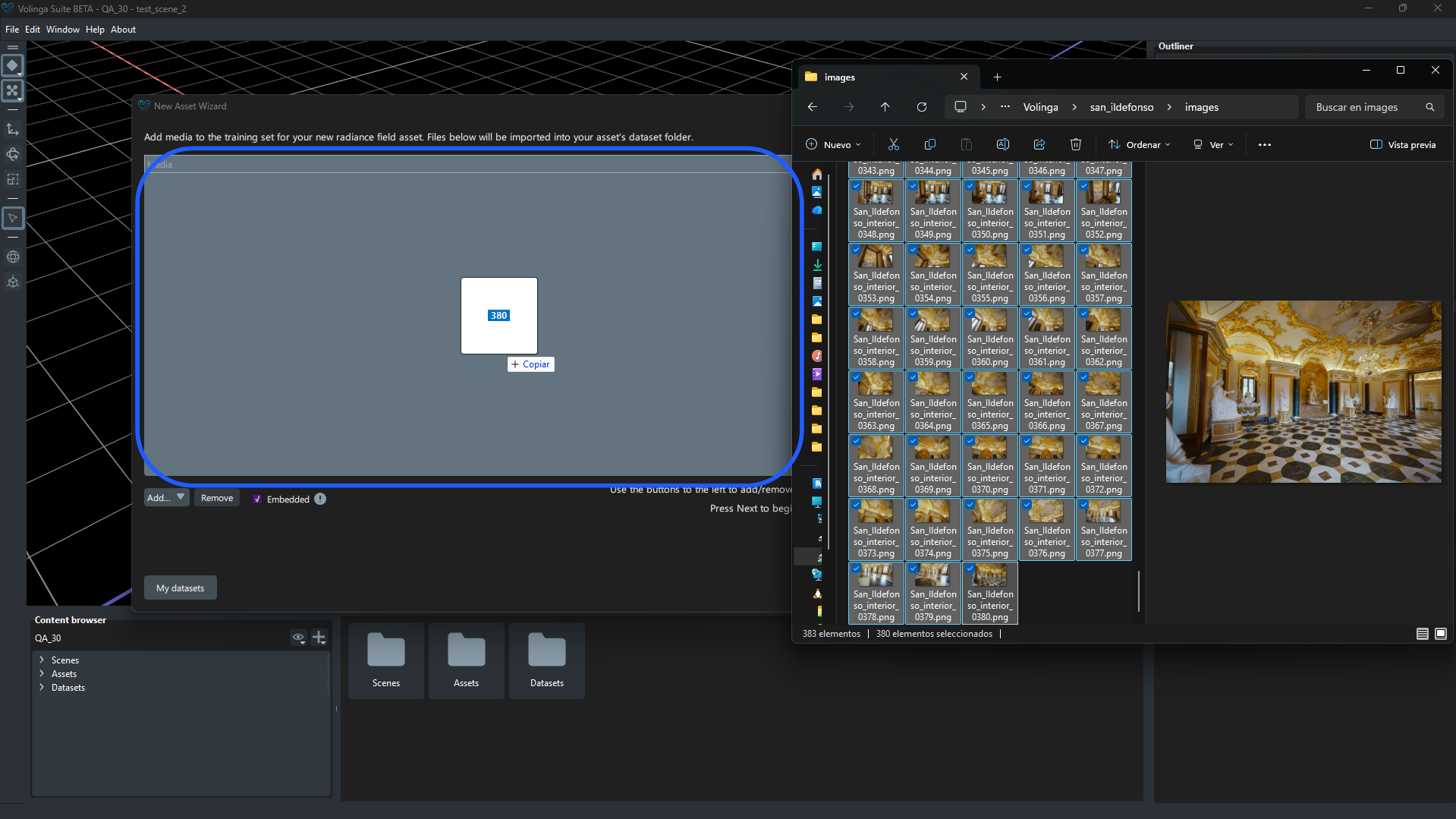
Inside the New Asset Wizard, COLMAP data can be imported imported via drag and drop, by manually adding files, or by manually adding a folder.
¶ Option 1 — Drag and Drop
Drag and drop COLMAP data into the import area of the New Asset Wizard. Either the entire COLMAP project folder or the individual files and image folder can be dropped separately.
Recommended folder structure:
- project/
├── sparse/
│ ├── cameras.txt
│ ├── images.txt
│ └── points3D.txt
└── images/ (colmap images root)
¶ Option 2 — Add Files Manually
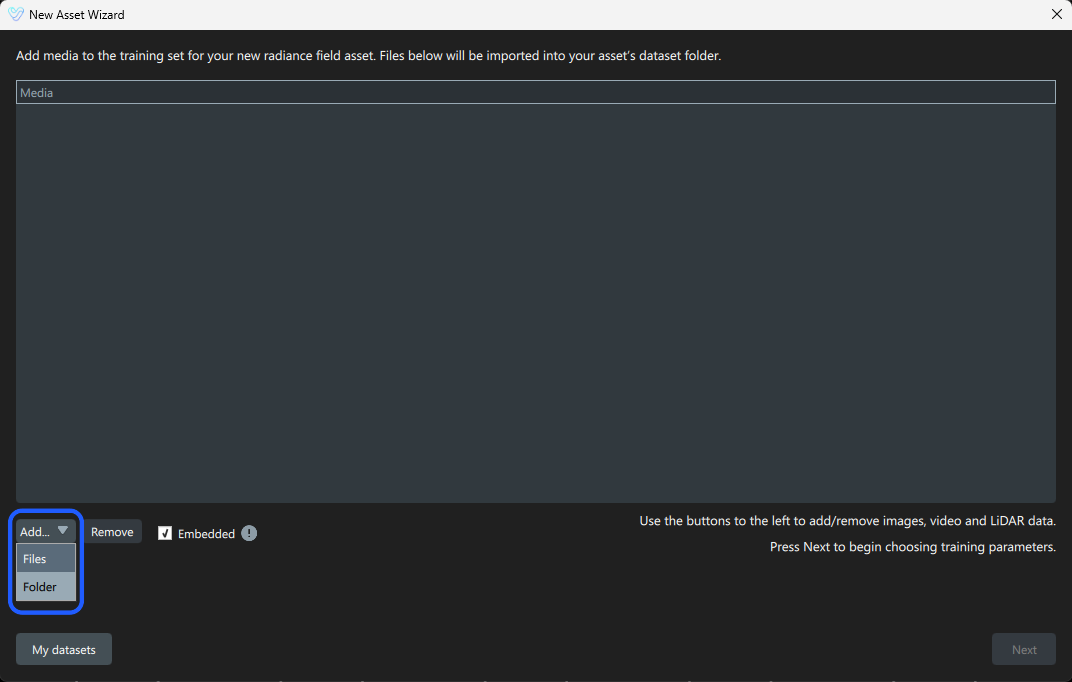
Click Add → File to manually select the required COLMAP files from the file browser.
¶ Option 3 — Add Folder Manually
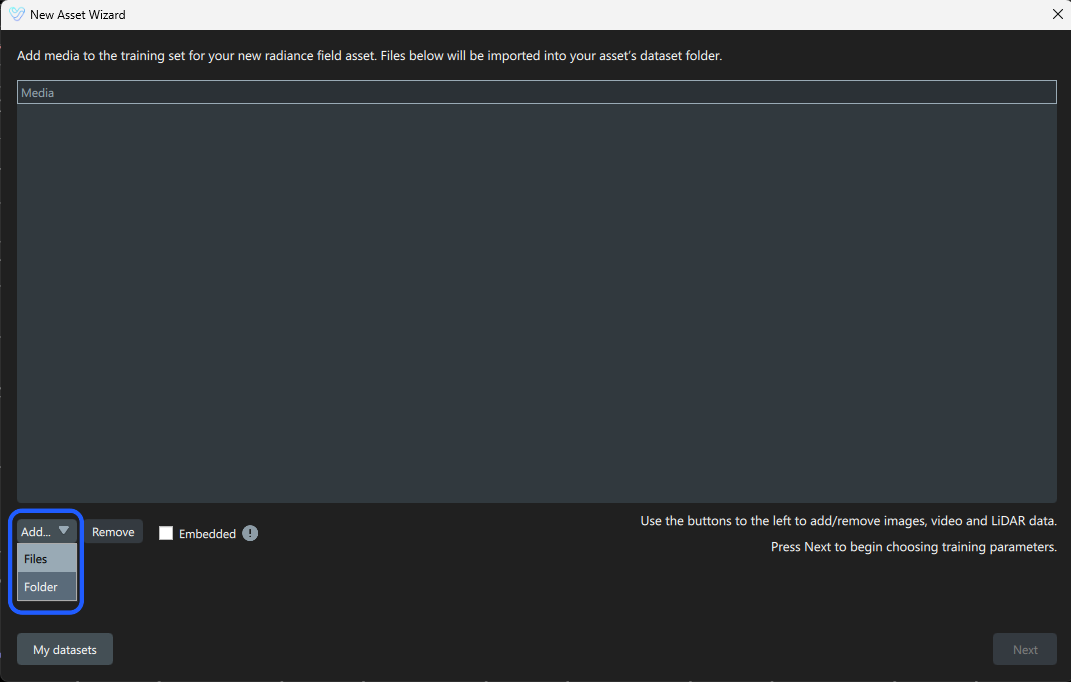
Click Add → Folder to manually select the folder containing the required COLMAP files from the file browser.
¶ 3. COLMAP Detection
For Volinga Suite to recognize an import as a valid COLMAP reconstruction, all required COLMAP files and source images must be present. When this condition is met, the import is registered as a COLMAP reconstruction, and the folder containing the images is labeled as:
- (colmap images root)
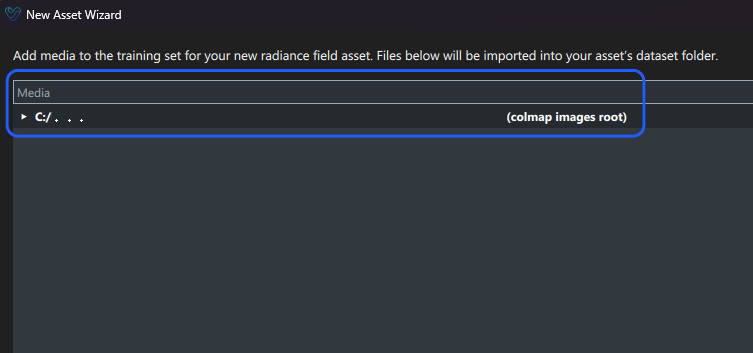
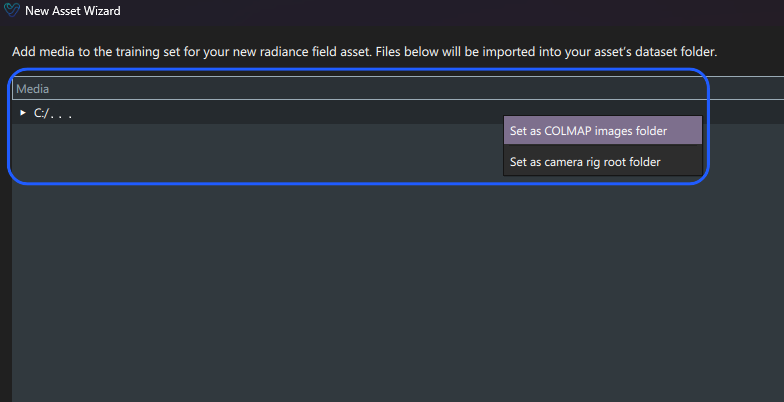
If it is not labeled automatically, it can be manually assigned by right-clicking the folder and selecting the Set as COLMAP images folder option.
If any required COLMAP file is missing, the import is handled as a standard media asset instead.
In case training fails, verify that all required COLMAP files are correctly set up. Ensure that the image filenames match those listed in the images.txt file within the sparse reconstruction.