¶ Asset Creation
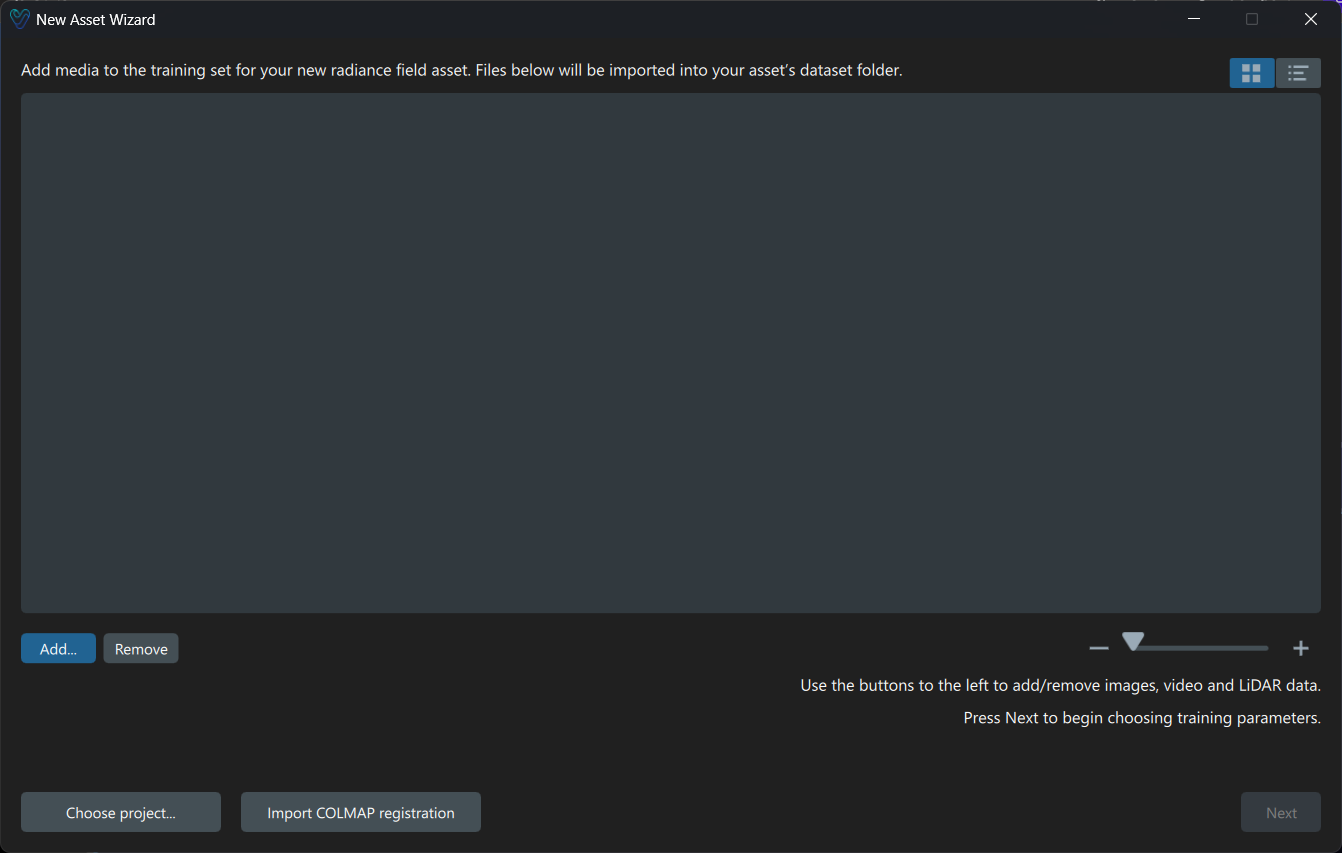
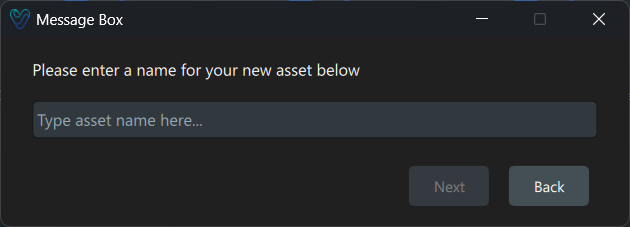
When generating a new asset, you must first select the project where it will be stored. If a new project is required, the system will guide you through the project creation workflow. The Media Importer Wizard will then open, supporting the following data formats:
- Images (.png, .jpg, .jpeg) and Videos (.mp4, .mov): A minimum of 20 images or a video is required.
- OpenEXR files (.exr): Processed according to ACES 2065-1 specifications. For detailed instructions on working with EXR files, see - EXR Files for ACES
- 3DGS PLY files (.ply): These can be converted to NVOL format for direct use within Volinga Suite.
- COLMAP Model Import: Using the "Import COLMAP registration" button, an existing COLMAP model can be integrated.
¶ Training Parameters
For assets requiring training, the following parameters can be configured:
- Camera Mode: Determines how camera intrinsics are calculated.
- Auto: Solves different intrinsics for each image.
- Single: Assumes a single camera source, leading to faster alignment.
- Iterations: Defines processing duration. Higher values generally improve quality, though improvements often plateau beyond 100,000 iterations.
- Checkpoint Iterations: Specifies checkpoint save frequency (e.g., a value of 7,000 saves a new model every 7,000 iterations).
- Overwrite Checkpoints: Saves storage by replacing previous checkpoints.
- Input Data Resolution Scaling: Options include Full, 75%, 50%, or 25%, balancing quality and performance.
- Use SSIM: Enhances detail but requires substantial GPU memory.
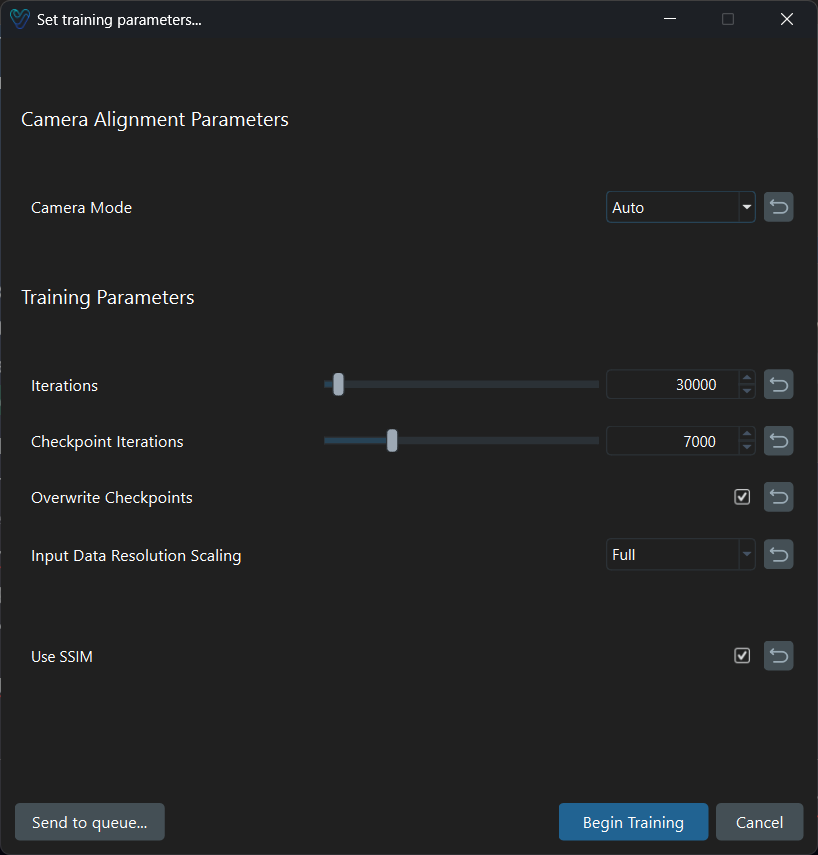
Adjusting the input resolution and enabling SSIM allows you to balance GPU memory usage and output quality. If your system meets the ideal requirements—specifically, with at least 24GB of VRAM—you can safely train on images up to 4K resolution using full resolution and SSIM without encountering performance issues.
Once parameters are set, you can begin training immediately or queue the job. "Begin training" will pause the job executing at the moment (if any), while "sending to queue" will add the job to the end of the queue. If there is no job in the queue, the asset will start processing. More details about how queues work on Volinga Suite are provided in the following section.
¶ Job Queue Manager
The Job Queue Manager (JQM) allows monitoring and controlling asset processing tasks. It provides real-time progress updates, job prioritization, and log details, ensuring efficient processing management.
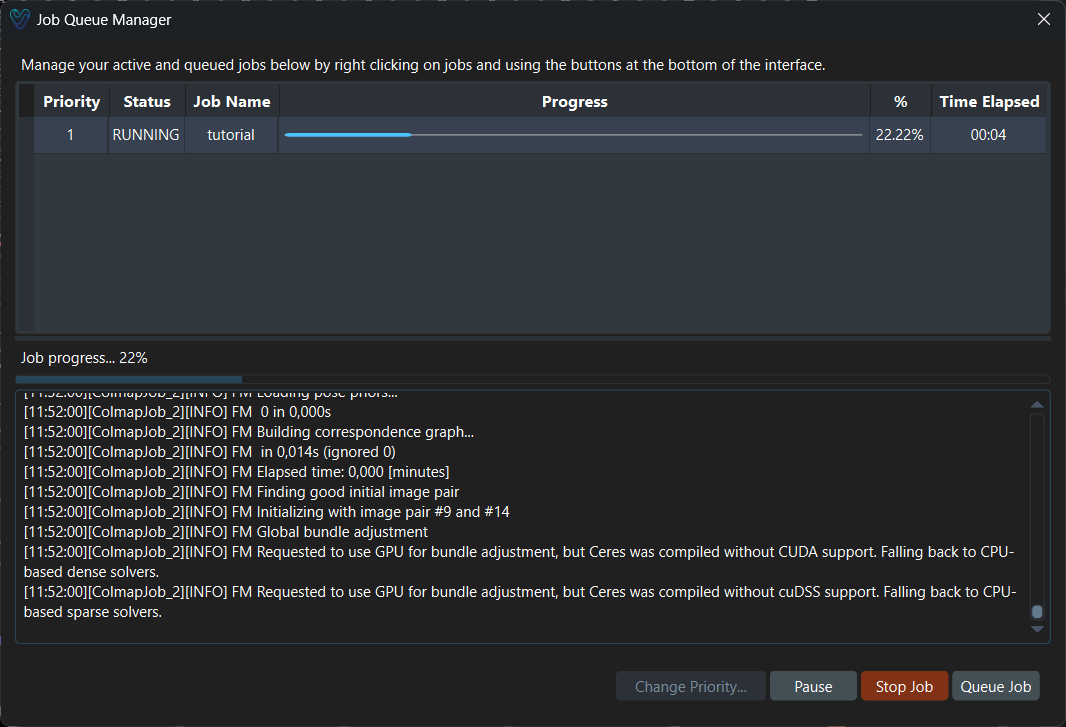
On the top part of the JQM, the list of jobs in the queue can be found. The jobs are executed by priority order, and only one job can be executed at the same time. Jobs can have the following status:
- Queued: Job is queued and waiting to be executed.
- Running: Job is being executed right now.
- Paused: Job started to execute but was paused by the user.
- Completed: Job has finished processing.
- Failed: An error occurred during job execution.
You can reprioritize jobs in the queue by selecting a job and clicking the "Change Priority" button. Assigning priority 1 to a job will immediately move it to the front of the queue and start its execution, pausing any job that is currently running.
Resuming a paused job will also start it immediately and move it to the top of the queue, interrupting any active job in progress.
Removing a job from the queue will delete it, while stopping a running job will cancel its execution and remove it from the list entirely.
Finally, the "Queue Job" button allows you to add a new job to the queue by launching the new asset creation workflow.