The Volinga Plugin enables you to integrate both 3D Gaussian Splats (3DGS) and animated 4D Gaussian Splats (4DGS) into your Unreal Engine projects.
4D Gaussian Splatting (4DGS) support is available starting with Volinga Renderer v0.10.0.
4DGS is supported only for NVOL assets generated with Volinga Suite.
Other supported file formats (PLY, SOG, and SPZ) only support static 3D Gaussian Splats (3DGS).To learn how to create 4D Gaussian Splats, see the Volinga Suite documentation.
Gaussian Splat assets can be imported directly into the Unreal Editor and rendered in real time using the Volinga Renderer. Once imported, they behave like native Unreal Engine assets and can be placed, streamed, animated, and managed as part of your existing production workflow.
¶ Supported File Formats
The Volinga Plugin currently supports importing the following Gaussian Splat file formats:
| Format | Description |
|---|---|
| NVOL | Native Volinga Gaussian Splat format. |
| PLY | Standard point-based Gaussian Splat format. |
| SOG | Gaussian Splat format supported starting with v0.10.0. |
| SPZ | Gaussian Splat format supported starting with v0.10.0. |
¶ Importing Gaussian Splats
You can import any supported Gaussian Splat file by simply dragging and dropping it from Windows File Explorer into the Unreal Engine Content Browser.
The Volinga Plugin automatically imports the file and creates the corresponding Unreal Engine asset, making it immediately available for use in your project.
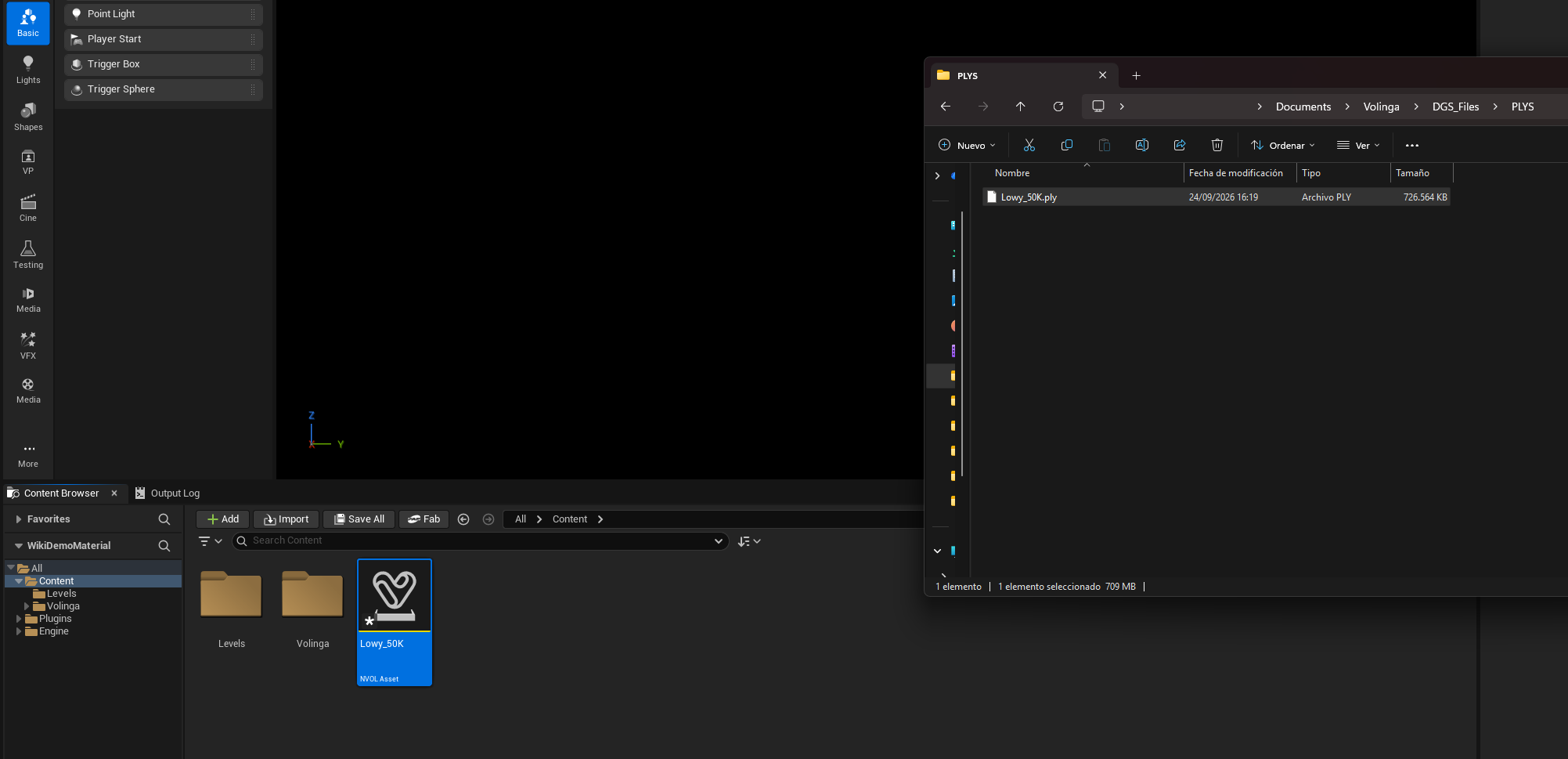
Once imported, simply drag the generated asset from the Content Browser into the viewport to create a Volinga Radiance Field Actor, allowing the Gaussian Splat to be rendered in real time.
¶ Asynchronous Asset Loading
Starting with Volinga Renderer v0.11.0, Gaussian Splat assets are loaded asynchronously when a Volinga Radiance Field Actor is added to the level.
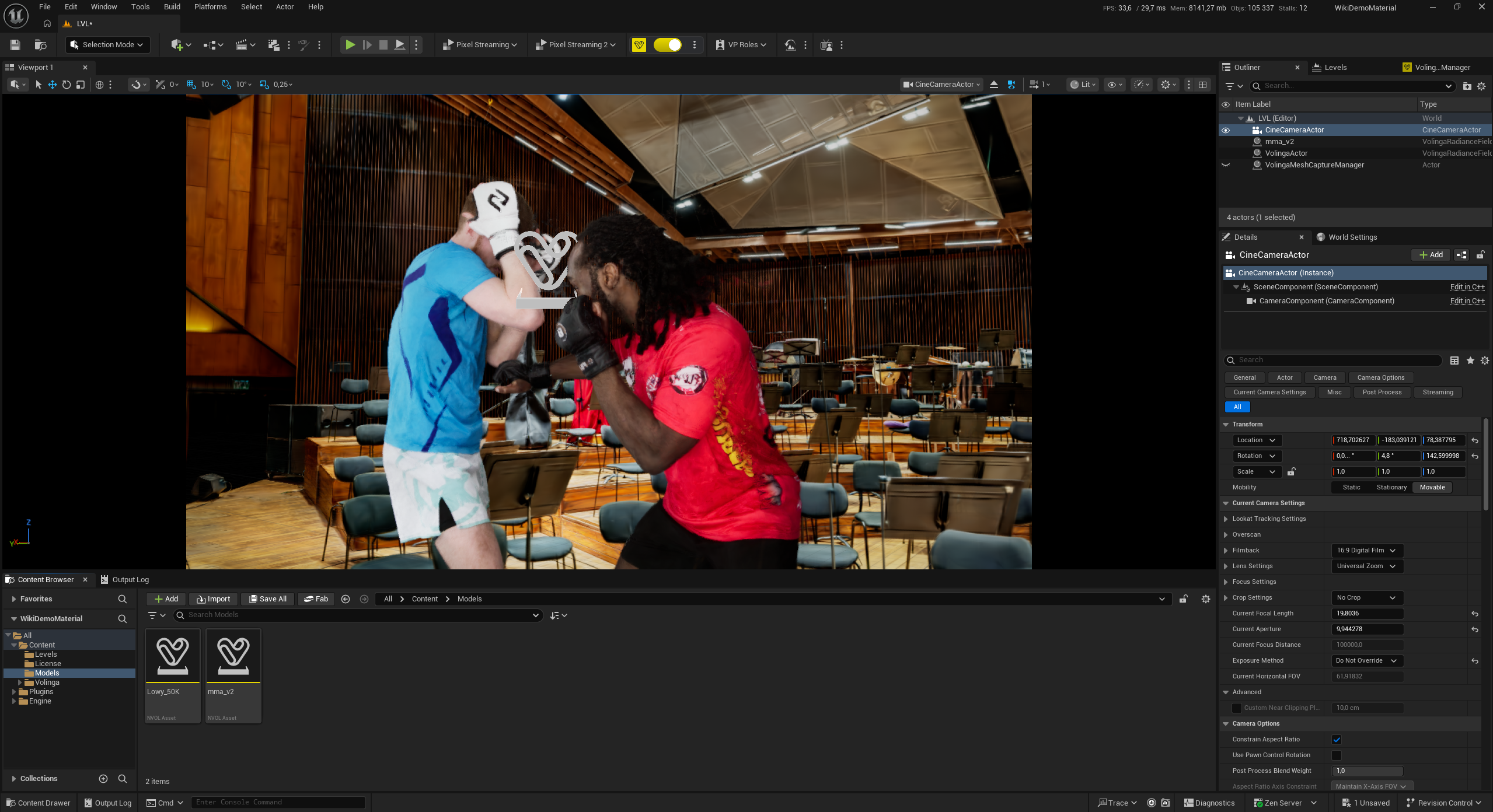
While the Gaussian data is being loaded and initialized, the actor temporarily displays an animated yellow Gaussian heart as a loading placeholder. Once the asset is ready, the placeholder is automatically replaced by the actual Gaussian Splat.
This asynchronous loading system prevents Gaussian asset initialization from blocking Unreal Engine's main thread. As a result, the Unreal Editor remains responsive while the asset is being loaded, which is particularly useful when working with large or complex Gaussian Splat assets.
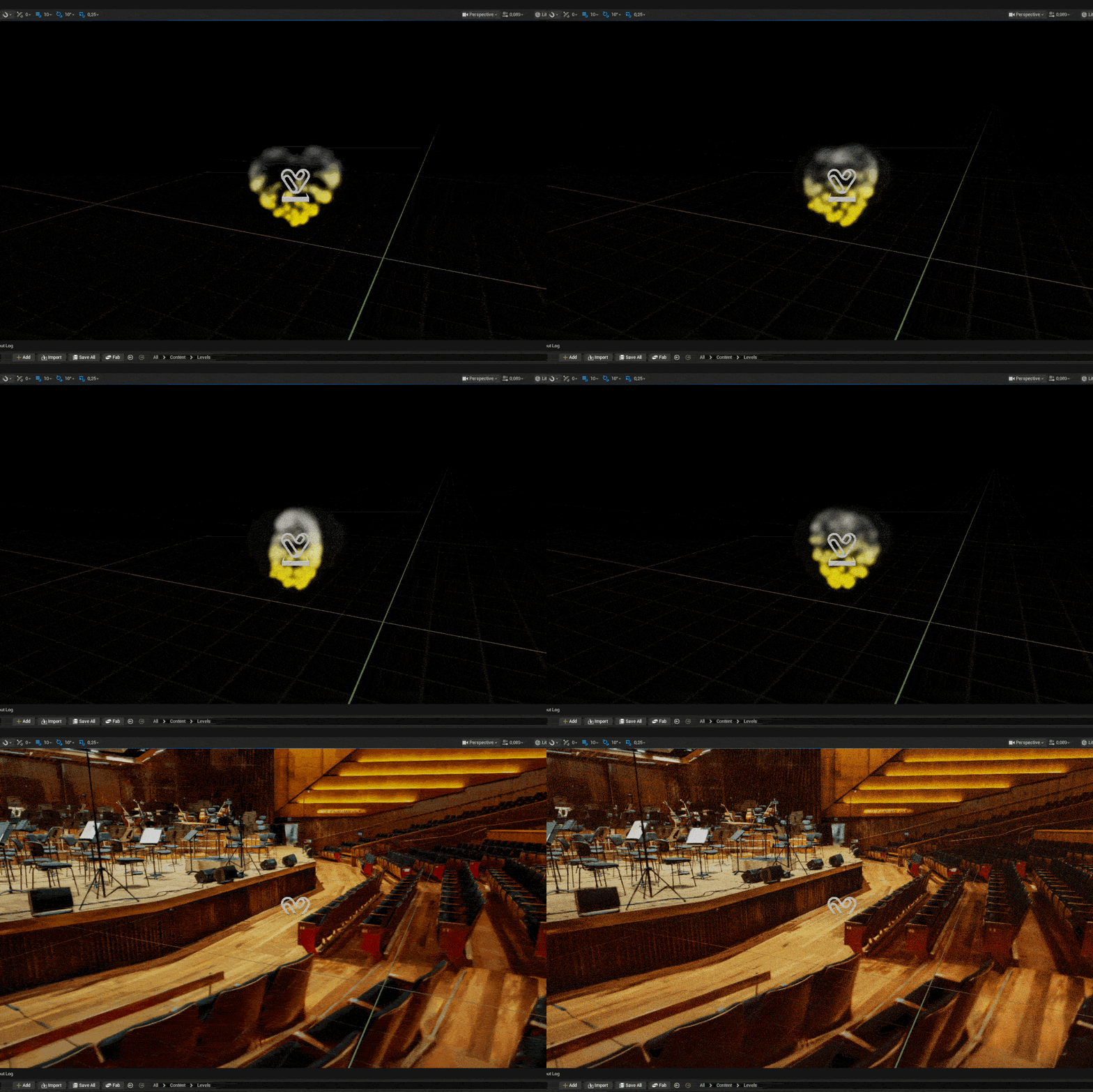
Once loading is complete, the Gaussian Splat is rendered normally and the Volinga Radiance Field Actor is ready to use.
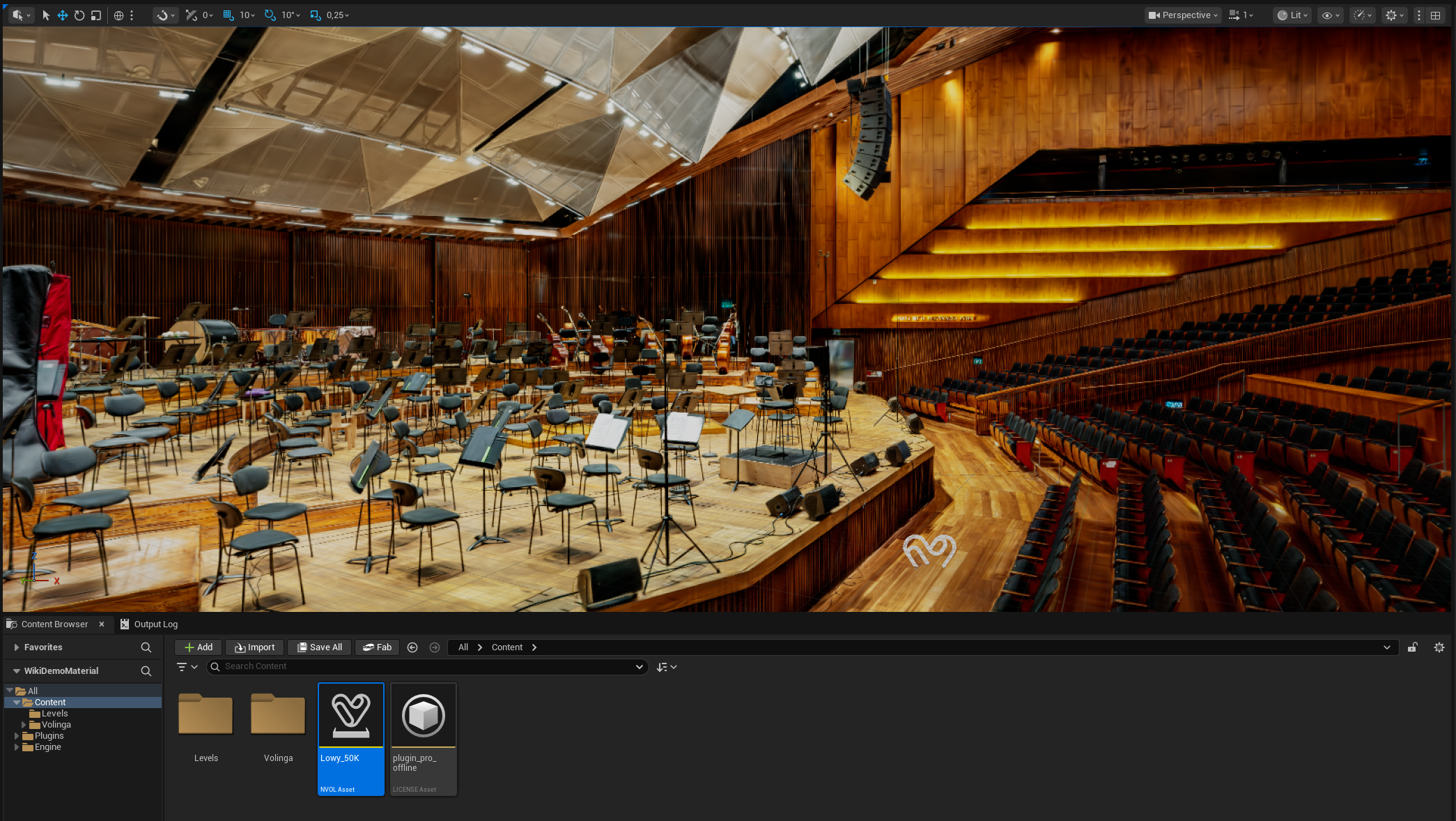
Alternatively, you can manually create a Volinga Radiance Field Actor and assign the desired Gaussian Splat asset from the Radiance Fields Settings panel.
Each Radiance Field Actor includes a Crop Volume subcomponent. When enabled, it acts as a cropping box that can be adjusted using its transform (location, rotation, and scale) to selectively render portions of the Gaussian Splat.
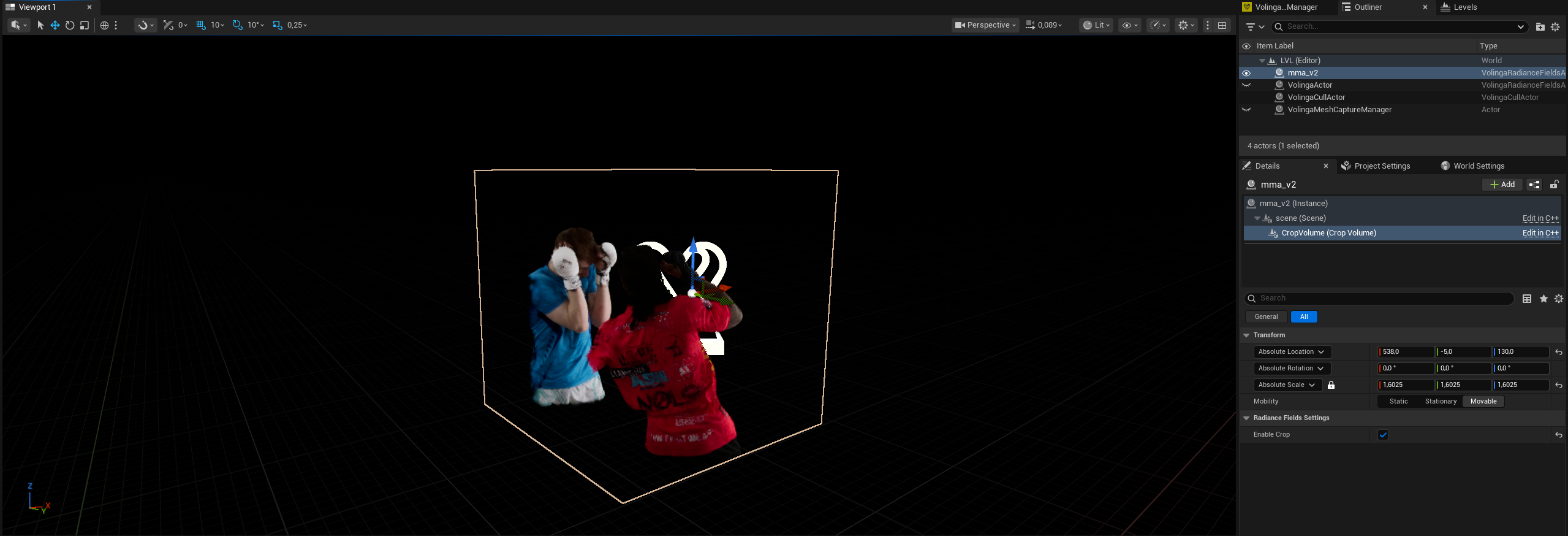
The plugin supports multiple Radiance Field Actors within the same level, enabling complex scenes composed of multiple Gaussian Splats. These actors fully integrate with Unreal Engine systems such as Level Streaming, Sequencer, Cine Camera Actors, Post Process Volumes, and other native scene components.
¶ Volinga Mesh Capture Manager
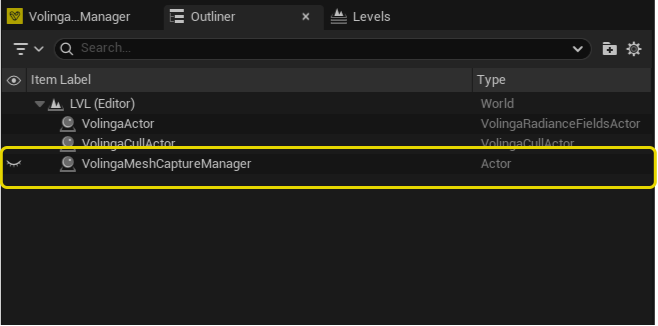
Starting with Volinga Renderer v0.11.0, a new actor named VolingaMeshCaptureManager is automatically created and kept in the Unreal Engine level.
The VolingaMeshCaptureManager is an internal actor required by the Volinga Plugin as part of the updated Proxy Mesh normal capture system introduced in v0.11.0.
You will see this actor in the World Outliner while working with the Volinga Plugin.
Important
The
VolingaMeshCaptureManageris required for the correct operation of the Volinga Plugin and should not be deleted, modified, or manually managed.The Plugin automatically manages the lifecycle of this actor. If it is deleted from the level, Volinga will automatically create a new instance when required to ensure that the corresponding systems continue to operate correctly.
The presence of the VolingaMeshCaptureManager in the World Outliner is expected behavior and does not require any configuration or interaction from the user.
¶ NVOL Asset Details
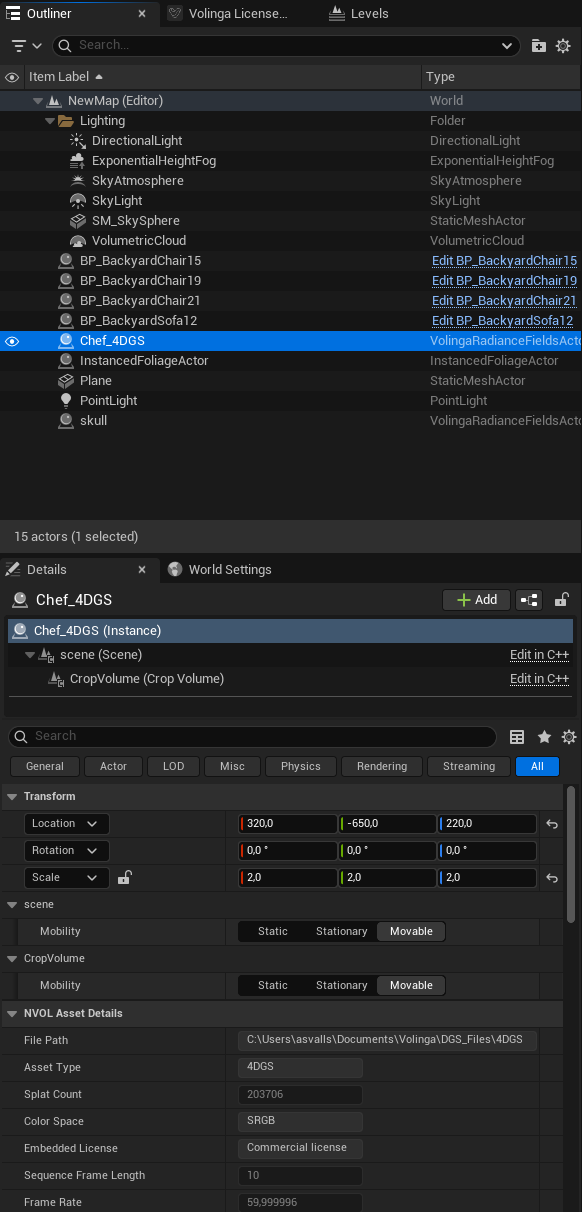
Starting with Volinga Renderer v0.10.0, imported Gaussian Splat assets expose additional metadata through the NVOL Asset Details.
These properties provide useful information about the imported asset, making it easier to identify, inspect, and validate Gaussian Splats directly from within Unreal Engine.
The metadata can be accessed from:
- The imported NVOL Asset in the Content Browser.
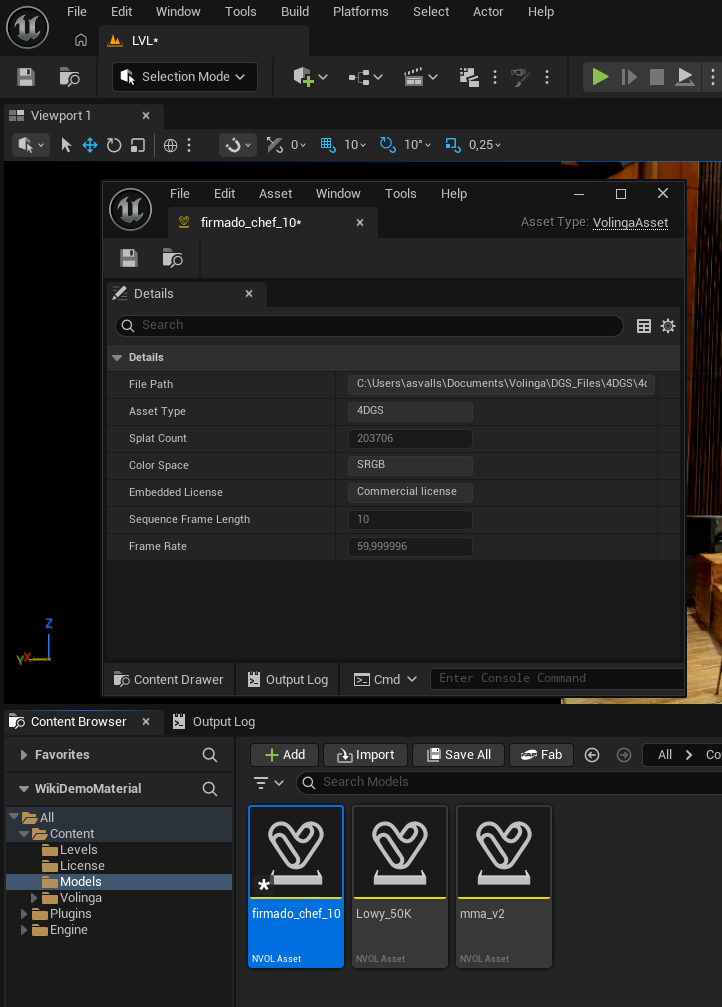
NVOL assets imported with earlier plugin versions do not contain this metadata, so the corresponding fields will initially appear empty.
To populate the metadata, simply create (or load) a Volinga Radiance Field Actor using the legacy asset. The plugin will automatically initialize the missing information, allowing the asset to be saved with the updated metadata.
- Any Volinga Radiance Field Actor instance placed in the level.
¶ Available Metadata
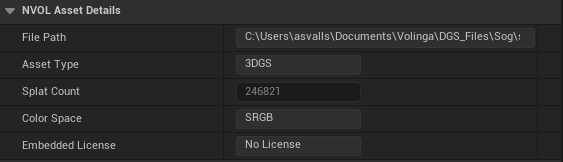
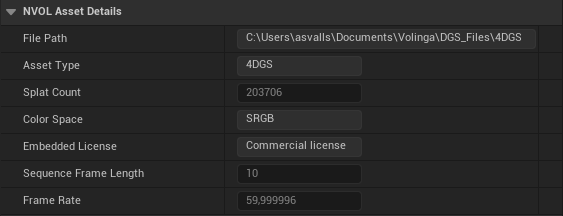
The following metadata fields are available:
| Property | Description |
|---|---|
| File Path | Absolute path to the original Gaussian Splat file on disk. This allows you to quickly identify the source file used to generate the Unreal asset. |
| Asset Type | Indicates whether the asset contains a 3D Gaussian Splat (3DGS) or an animated 4D Gaussian Splat (4DGS). |
| Splat Count | Total number of Gaussian Splats contained in the asset. |
| Color Space | Displays the color space used by the imported asset. |
| Embedded License | Displays the licensing status embedded within the Gaussian asset. See the table below for the possible values. |
| Sequence Frame Length | Total number of frames contained in a 4DGS sequence. This field is only applicable to animated Gaussian Splats. |
| Frame Rate | Playback frame rate of a 4DGS sequence. This field is only applicable to animated Gaussian Splats. |
¶ Embedded License Status
The Embedded License field indicates how the asset is licensed and how it will behave during rendering.
| Status | Description |
|---|---|
| Commercial License | The NVOL asset contains a valid embedded commercial license and can be rendered normally. |
| Non-commercial License | The NVOL asset does not contain a valid commercial signature. It can still be rendered, but a blinking watermark will be displayed. |
| No License | The asset does not contain an embedded Volinga license. This is typically the case for external formats such as PLY, SOG, and SPZ. These assets require a valid Volinga license to be rendered. |