¶ Find Hardware Hash
- Open Edit Options
In the main menu bar, locate Edit and left-click to expand the dropdown menu. - Select Project Settings
Choose Project Settings from the dropdown to open the configuration window within the editor. - Search for and select Volinga
In the Project Settings window, scroll down and locate Volinga. Once found, left-click to open the list of Volinga settings. - Access License Settings
Once the Volinga settings are open, you will see the License Settings section.
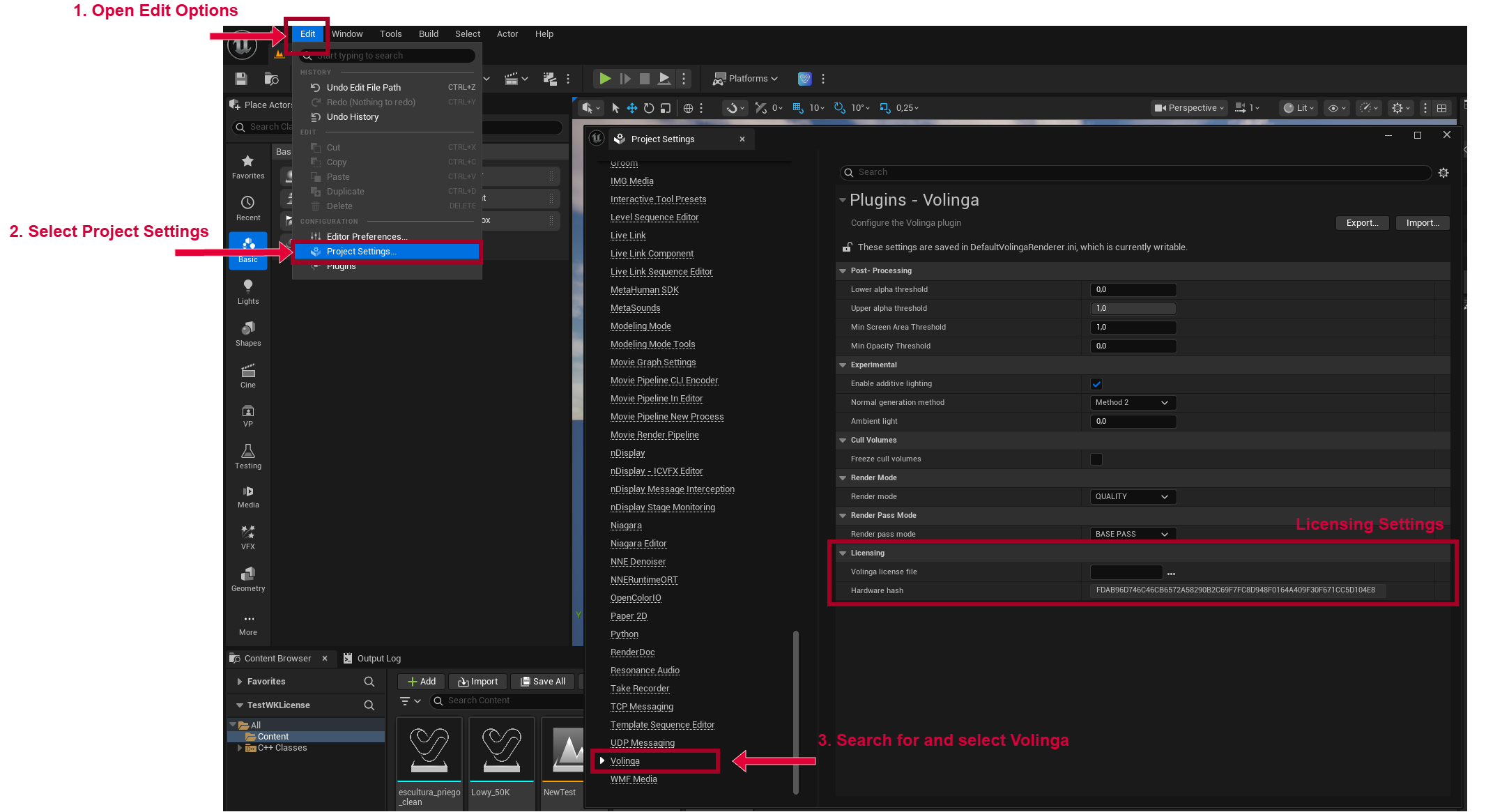
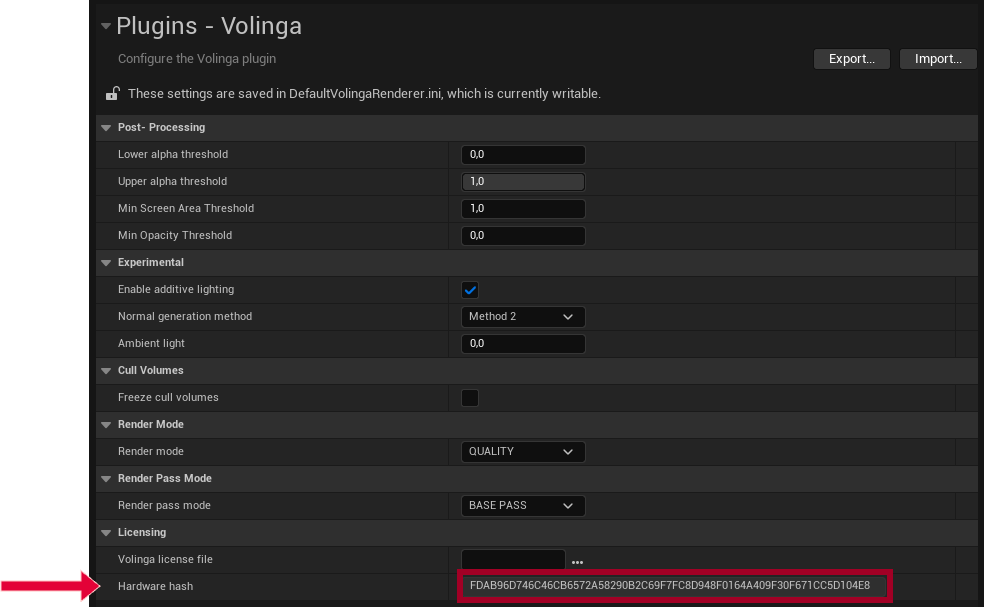
In the License Settings, locate the Hardware Hash. This hash is required to generate your license.
¶ Set up License
After you receive your license, return to the Volinga Settings as described above.
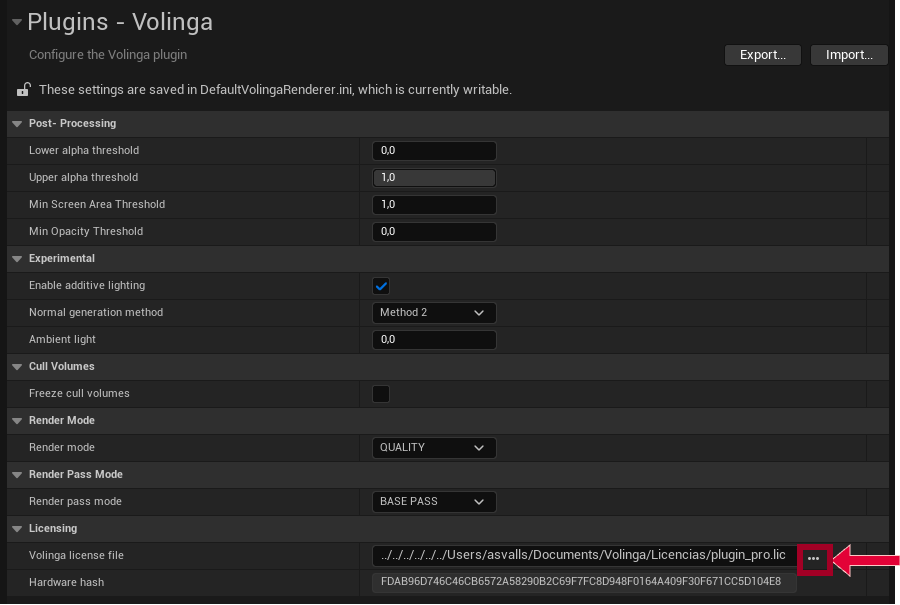
Click the three-dot button (…) to open your system’s file explorer and locate your license file (it should be something like license_pro.lic).
Once you select and confirm the file, the Volinga License File path will be displayed completely, pointing to the location of your license file on your system.